Handyout for Education
Every lecture deck, in your students' pockets.
Turn slides into a mobile handout your class can revisit anytime — with feedback, context, and reactions built in.
Scroll to explore
Lectures your students take with them
Turn every lecture deck into a mobile-friendly handyout your students can revisit on their own time. Handyout keeps the slides you presented, adds context, and lets learners take the material with them without printing anything.
From single classes to multi-week programs, Handyout gives educators a fast way to share polished, interactive handouts — with feedback and engagement built in.
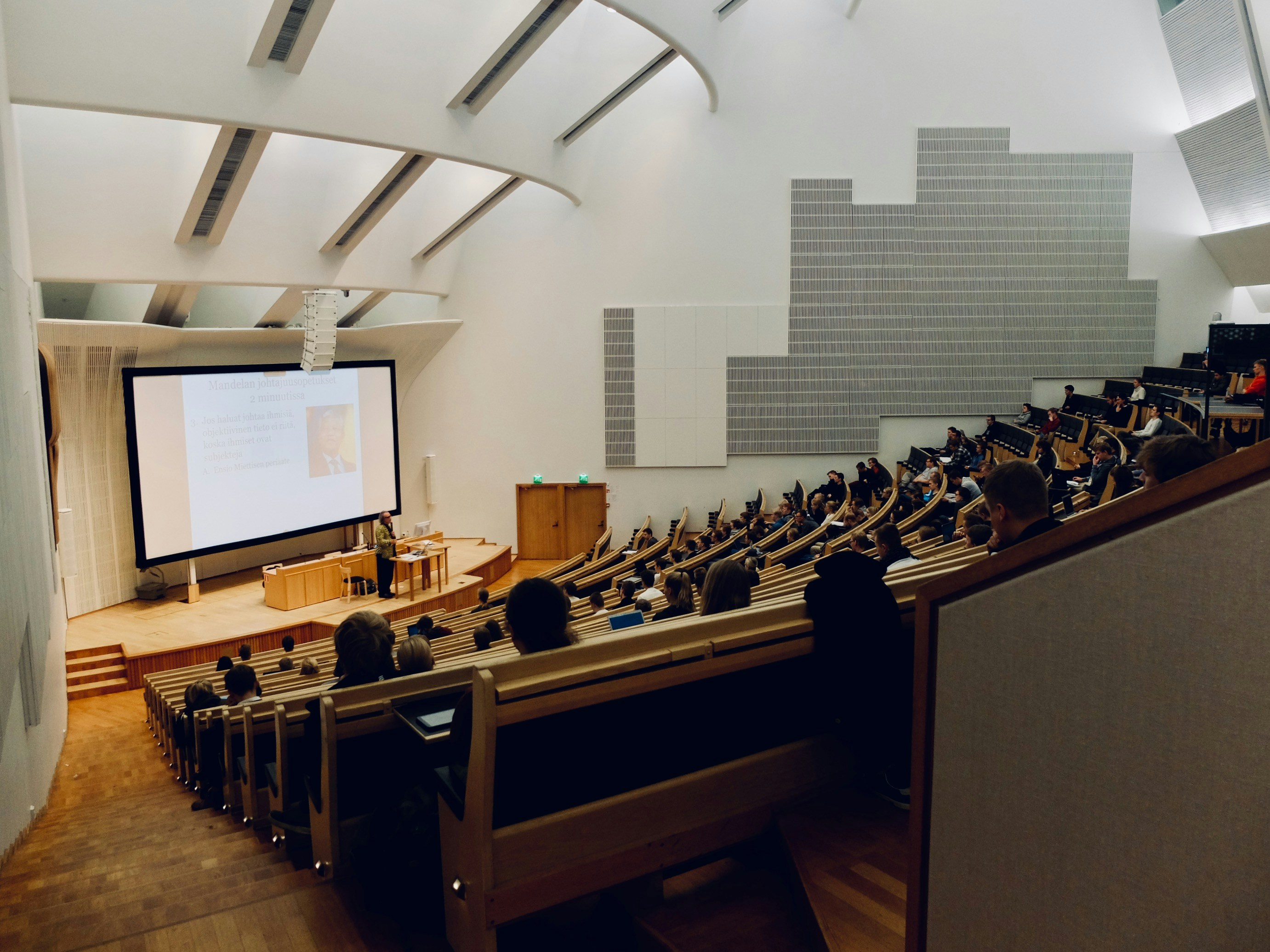
One QR on screen, a full lecture hall following along
Students following along on their own device from a single QR scan.
The handout stays live on students' phones through the full term.
From upload to a shareable, mobile-optimised handout.
What changes when the deck is the handout
The material students hold on their phone becomes the same material you presented — with the structure, feedback and revisit-value that a static PDF never had.
The lecture that keeps working after the room empties.
Slides on every phone, revisitable for the full term, with feedback captured while the material is still fresh.
Feedback dimensions
Overall, understanding, relevance and actionability — captured before students leave the hall.
Comments per slide
The three questions students never raise out loud — captured attached to the slide that provoked them.
Built for how learners actually study
A lecture handout that lives on a phone is a lecture handout that gets re-read. And re-reading is where comprehension quietly happens.
- Modules layer on top of the slide — quotes, comparison tables, key takeaways — without replacing the deck you presented.
- Reactions and comments are anchored to the exact slide that raised them, so students can revisit a question days later on the same slide.
- Language auto-detection in analytics tells you which parts of the room actually read the handout, across bilingual and international cohorts.
Participation without a consent wall
Students scan, follow along and react without an account, an app or a cookie banner in the way. Analytics are handled transparently and in line with EU data-protection expectations — the room is never the product.
Language detection
See which languages the room actually read the handout in — useful for bilingual programmes, joint degrees, and international cohorts where teaching in English does not always mean reading in English.
Session-based by design
The handout expires with the semester. No stale course material lingering across cohorts, no forgotten links floating around six months later — sharing has a beginning and a natural end.
Structured feedback
Understanding, relevance and actionability — the three dimensions that tell you not whether the lecture went well, but which half of it needs rewriting before the next cohort.
The handout sits between your deck and your students
Your existing lecture materials stay where they are — PowerPoint, PDF, whatever the department already uses. Handyout takes it from there and adds the layer that turns a slide deck into a handout worth keeping.
Direct upload
Bring the deck you already teach with. PPTX and PDF, straight from your drive — no re-authoring in a proprietary editor, no format war with the department's template.
One QR per lecture
Project the code on the opening slide. Students scan, the deck opens on every phone, and the room is following along in seconds — no app to download, no account to create.
Structured feedback
Understanding, relevance and actionability — captured before students leave, tied to the slides they responded to, ready in the analytics dashboard the moment the lecture ends.
How a semester with Handyout actually looks
Three moments where the handout changes what a lecturer knows about their own teaching. None of them require rebuilding the deck; all of them assume the material you already have.
Setting the tone before you say a word
The first time the QR code appears on slide 1, the room hesitates. Is this really instead of the usual printed handout? Show one or two students how to scan, wait fifteen seconds, and watch the phones come out row by row. By slide 3 the first reactions land on the analytics dashboard; by the end of the hour, you know which portion of the cohort actually engaged — and the students already have the handout on the train home.
The setup effort is a two-sentence introduction, once, on day one.
Reading the pattern across five lectures
Around week five, patterns start to surface across lectures. One slide raises the same question three times — a signal you are leaving a concept underspecified. A module consistently scores lowest on actionability — a hint that the theory has drifted from the seminar practice. The value of mid-semester analytics is not a single engagement number; it is the slide-level pattern across four or five lectures that tells you where the second half needs a different emphasis.
Comments per slide, feedback dimensions, drop-off — read together, not averaged.
The handout as the revision guide
In the two weeks before the exam, the handout stops being a lecture artefact and starts being a study resource. Students re-open the handout with much longer read-times; delayed comments appear on the trickier slides; the slide with the key takeaways of lecture 4 gets read longer than any other slide. The lecturer sees which slides got the most reading time and can tailor the final review lecture around what the cohort actually did not grasp — instead of what the department assumes will be confusing.
The handout stays live through the exam window and expires cleanly afterwards.
The handout they actually open again.
A PPTX on a phone is a pinch-and-zoom nightmare — nobody re-reads it. A handyout is the one artefact your audience opens back up on their own, without prompting, days or weeks after the lecture ends. Three scenes from the other side of the room.
The exam is Wednesday. She scans the QR code from a screenshot she took in lecture 4 and lands directly on the slide with the trade-policy chart she vaguely remembers. Two taps expand the module, the comments other students left on that slide give her the framing she missed in the room, and the citation on the slide tells her which paper to look up. Ten minutes, no login, no PDF viewer.
- Jumps to the exact slide she needs
- Sees comments other students left
- Finds the citation right on the slide
Fifteen minutes on the tram before facilitating a section on last week's lecture. He opens the handout on his phone, scrolls through the three modules the lecturer flagged, and re-reads the two takeaways he wants to open the seminar with. The handout is the same material the students hold — same wording, same visualisations — so the section starts on shared ground instead of a paraphrased summary.
- Full recap in under 15 minutes
- Same content the students have
The term paper needs a source for a claim she remembers from lecture 6. She opens the handout, uses the table of contents to jump straight to that lecture, and copies the citation straight from the slide. What used to be twenty minutes of hunting through a shared drive is thirty seconds on her phone.
The four moments that matter, week by week
Handyout is not a tool you use once and forget. Its value compounds week over week — because the same handout your students opened in week one is the handout they revisit before the exam.
Distribute on scan
The very first lecture sets the norm. Show the QR, watch the room scan, and the handout is now on the phone of everyone who followed along. From this point, sharing slides is a scan, not an email attachment.
Composite accounts, drawn from how lecturers in this segment describe their experience. Not testimonials from specific customers.
Advanced seminar, trade policy — composite
Iusedtoendeverylecturewonderingwhetherthemiddlethirdhadlanded.NowIopenthehandoutonmytrainridehome—thecommentsperslide,thefour-dimensionalfeedback,theslidethateveryonere-readtwice.OnThursdayIfoundoutslide12raisedthesamequestionthreetimes.Iwillrewriteitbeforethenextcohort.
Dr. Halim
University lecturer, trade policy
Real teams. Real handouts.
See how presenters across SaaS, education, consulting, and pharma ship handouts their audiences actually read.
Become part of presenters all around the world.
The ones who stopped guessing and started reading the room.
What lecturers ask before they trust the room with a QR
The five practical questions that come up in every department introduction. Straight answers, no marketing detour.
Do students need an account or an app?
No. A single QR scan opens the handout in the browser, on any phone. No download, no signup, no consent wall — participation is not gated by acquiring the audience as data.
How long does the handout stay accessible?
Thirty days from the moment you publish, by default. For a term-long course that means each lecture handout is live through the exam period. Publishing again keeps the original expiry date; extend it in the handyout settings.
Can I keep the same handout across cohorts?
You can re-upload the same deck and publish a fresh handout for each cohort. Analytics stay separated by cohort — so you can see whether the same slide confused Tuesday's group and Thursday's group in the same way, and diagnose whether it is the slide or the audience.
What data does Handyout collect from students?
The minimum needed to make interaction work. Nothing that identifies individual students unless they choose to write a comment with their name. Analytics are aggregated per slide, not per student — attention, drop-off, and structured feedback totals, not learner profiles.
Can co-lecturers see the same feedback dashboard?
Yes. Feedback is tied to the handout, and access to the handout can be shared with anyone in your teaching team. There is no per-lecturer paywall on reading the analytics of a handout you co-authored — the dashboard is a team artefact.
Ready to get started?
Turn your next presentation into an interactive handout
Upload your slides, let AI transform them into a mobile-optimized handout, and share it with your audience via QR code — at about ten seconds a slide.
No credit card required · First handyout free